No Career Path view on Uxcel Go
On desktop, I have a clear understanding of where I am at in the “Career Path” I have selected via the /career-paths page. I can see what courses I have completed, which ones are to come, and in what order I am supposed to take them in.
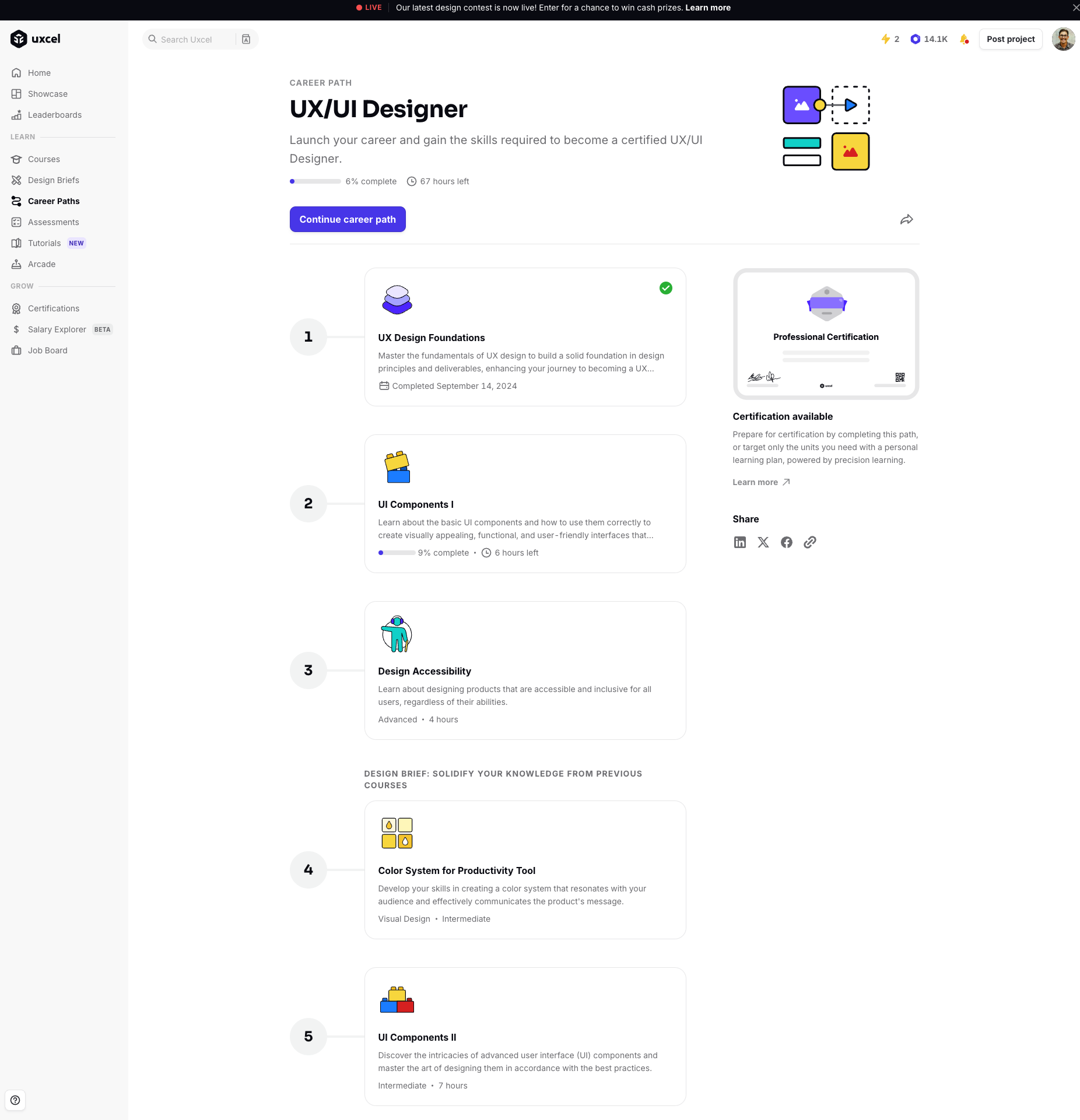
When using the iOS app Uxcel Go, I lose all insight into my selected Career Path - there is no dedicated Career Path’s page that I can reference. Moreso, the order of the courses on the desktop Career Path page does not align with the Courses dropdown on iOS.

This is less of a problem when I am currently taking a course. However, if I finish a course on my mobile device, I don’t know what course to begin next according to my Career Path without opening a browser.
Having the same Career Path course view featured in browsers on my iOS app, would ensure I take courses in the correct order and maintain consistent progress towards completing that career path.
Status: Completed
Log in to comment and vote
No comments yet
Be the first to share your thoughts.